
Homework AI: Solver & Helper4.8 - App Store
You'll be able to see results in few seconds.
Publisher Description
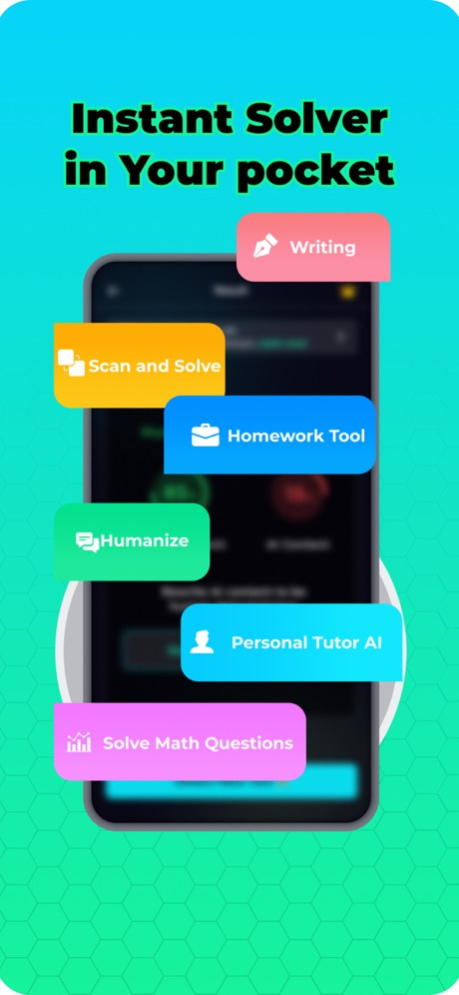

Homework AI: The Ultimate Study Companion
Unlock the Power of AI for Your Studies – Free!
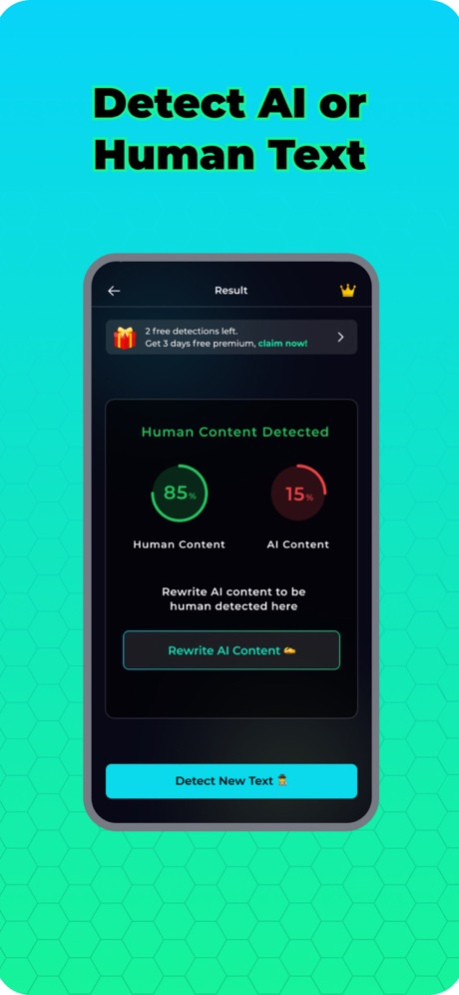
Human vs. Content Detection
Human Authenticity Writing
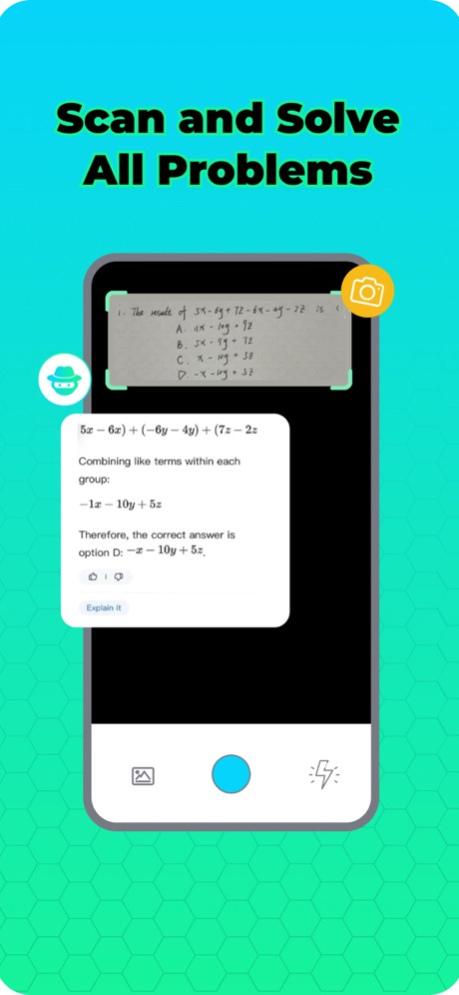
Instant Solving
Homework AI: The Ultimate Study Companion
Unlock the Power of AI for Your Studies – Free!
Welcome to Homework AI, the revolutionary app designed to transform the way you approach your studies and homework. Our cutting-edge application utilizes advanced artificial intelligence to offer you a suite of powerful tools that make learning more efficient, effective, and engaging. With Homework AI, you can access three incredible features at no cost, each tailored to enhance your academic performance and integrity.
1. AI vs. Human Content Detection
Struggling to determine if a piece of content was crafted by a human or an AI? Our sophisticated detection tool takes the guesswork out of the equation. Whether it's an essay, report, or any written assignment, Homework AI can analyze the text and accurately identify its origin. This feature is essential for educators, students, and professionals alike, ensuring the authenticity and originality of written content.
2. AI Content Rewriting for Human Authenticity
Transform AI-generated content into text that feels genuinely human with our advanced rewriting feature. Homework AI rephrases and refines AI-written material, making it undetectable by plagiarism checkers and indistinguishable from human-crafted work. This tool is invaluable for anyone looking to enhance the readability and originality of their AI-generated content, ensuring it meets academic standards and integrity policies.
3. Instant Question Solving
Stuck on a problem? Scan any question across a wide array of subjects, and get it solved immediately with Homework AI. From complex mathematical equations to science conundrums and historical inquiries, our AI-driven solver provides you with accurate answers and step-by-step explanations. It's like having a personal tutor available 24/7, ready to assist you in unlocking the mysteries of your coursework.
Why Choose Homework AI?
Free Access to Premium Features: Enjoy our three groundbreaking features at no cost, with the option to explore additional premium services.
Enhance Academic Integrity: Ensure your work is original and authentic, meeting the highest standards of academic honesty.
Boost Learning Efficiency: Spend less time stuck on problems and more time understanding the material with instant solutions and explanations.
Download Homework AI Today!
Ready to revolutionize your study routine? Download Homework AI and start taking advantage of these powerful tools for free. Elevate your learning experience, maintain academic integrity, and achieve better results with Homework AI – your ultimate study companion.
Support email : chatbotteamai@gmail.com
Terms of Use : https://sites.google.com/view/homeworkaiterms/home
Privacy Policy : https://sites.google.com/view/homeworkaiapp/home
Apr 3, 2024
Version 4.8
- Facebook iOS sdk added
About Homework AI: Solver & Helper
The company that develops Homework AI: Solver & Helper is Hani Abdallah. The latest version released by its developer is 4.8.
To install Homework AI: Solver & Helper on your iOS device, just click the green Continue To App button above to start the installation process. The app is listed on our website since 2024-04-03 and was downloaded 0 times. We have already checked if the download link is safe, however for your own protection we recommend that you scan the downloaded app with your antivirus. Your antivirus may detect the Homework AI: Solver & Helper as malware if the download link is broken.
How to install Homework AI: Solver & Helper on your iOS device:
- Click on the Continue To App button on our website. This will redirect you to the App Store.
- Once the Homework AI: Solver & Helper is shown in the iTunes listing of your iOS device, you can start its download and installation. Tap on the GET button to the right of the app to start downloading it.
- If you are not logged-in the iOS appstore app, you'll be prompted for your your Apple ID and/or password.
- After Homework AI: Solver & Helper is downloaded, you'll see an INSTALL button to the right. Tap on it to start the actual installation of the iOS app.
- Once installation is finished you can tap on the OPEN button to start it. Its icon will also be added to your device home screen.
Program Details
System requirements
Download information
Pricing
Version History
version 4.8
posted on 2024-04-03
Apr 3, 2024
Version 4.8
- Facebook iOS sdk added
version 4.6
posted on 2024-03-27
Mar 27, 2024
Version 4.6
- bugs and fixes
- api enhancements
version 4.4
posted on 2024-03-23
Mar 23, 2024
Version 4.4
- bugs and fixes
version 3.7
posted on 2024-02-26
Feb 26, 2024
Version 3.7
- higher token limit
version 3.5
posted on 2024-02-13
Feb 13, 2024
Version 3.5
- UI enhancements
version 3.4
posted on 2024-01-28
Jan 28, 2024
Version 3.4
- token counter fixed
version 3.3
posted on 2024-01-13
Jan 13, 2024
Version 3.3
- bugs and fixes
- enhancements
version 3.2
posted on 2024-01-10
Jan 10, 2024
Version 3.2
- detect and copy button fixed again
version 3.0
posted on 2024-01-03
Jan 3, 2024
Version 3.0
- buying bug
- rewriter enhancements
version 2.8
posted on 2023-12-28
Dec 28, 2023
Version 2.8
- return back to old icon
- fix detector bug
Disclaimer
Official App Store Link
We do not host Homework AI: Solver & Helper on our servers. We did not scan it for viruses, adware, spyware or other type of malware. This app is hosted by Apple and passed their terms and conditions to be listed there. We recommend caution when installing it.
The App Store link for Homework AI: Solver & Helper is provided to you by apps112.com without any warranties, representations or guarantees of any kind, so access it at your own risk.
If you have questions regarding this particular app contact the publisher directly. For questions about the functionalities of apps112.com contact us.
